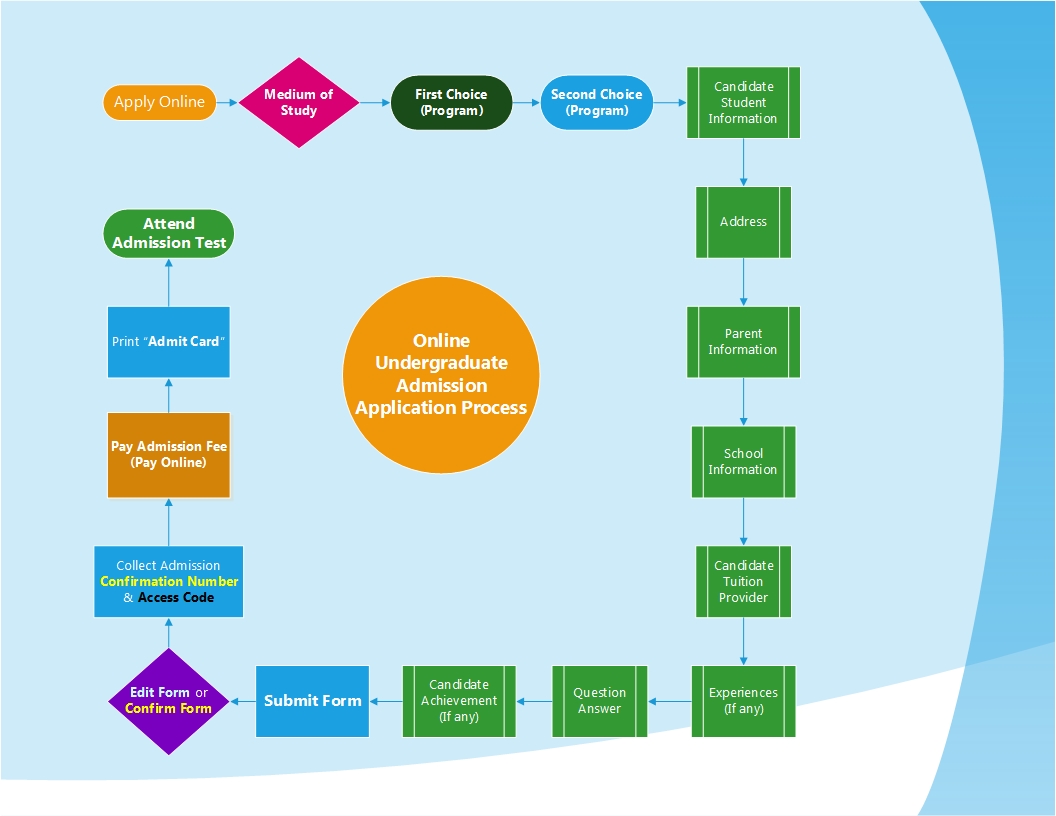
Only 3-Steps for Undergraduate Admission Application & Admit Card
Step-1: Complete the Admission Application Online
a) Click on � Apply Online
b) Complete the form
c) After submitting, you must collect� the application Application Number & Access Code
d) You will receive a confirmation email in your mailbox
�Step-2: Payment Admission Fee (Tk 1,500)
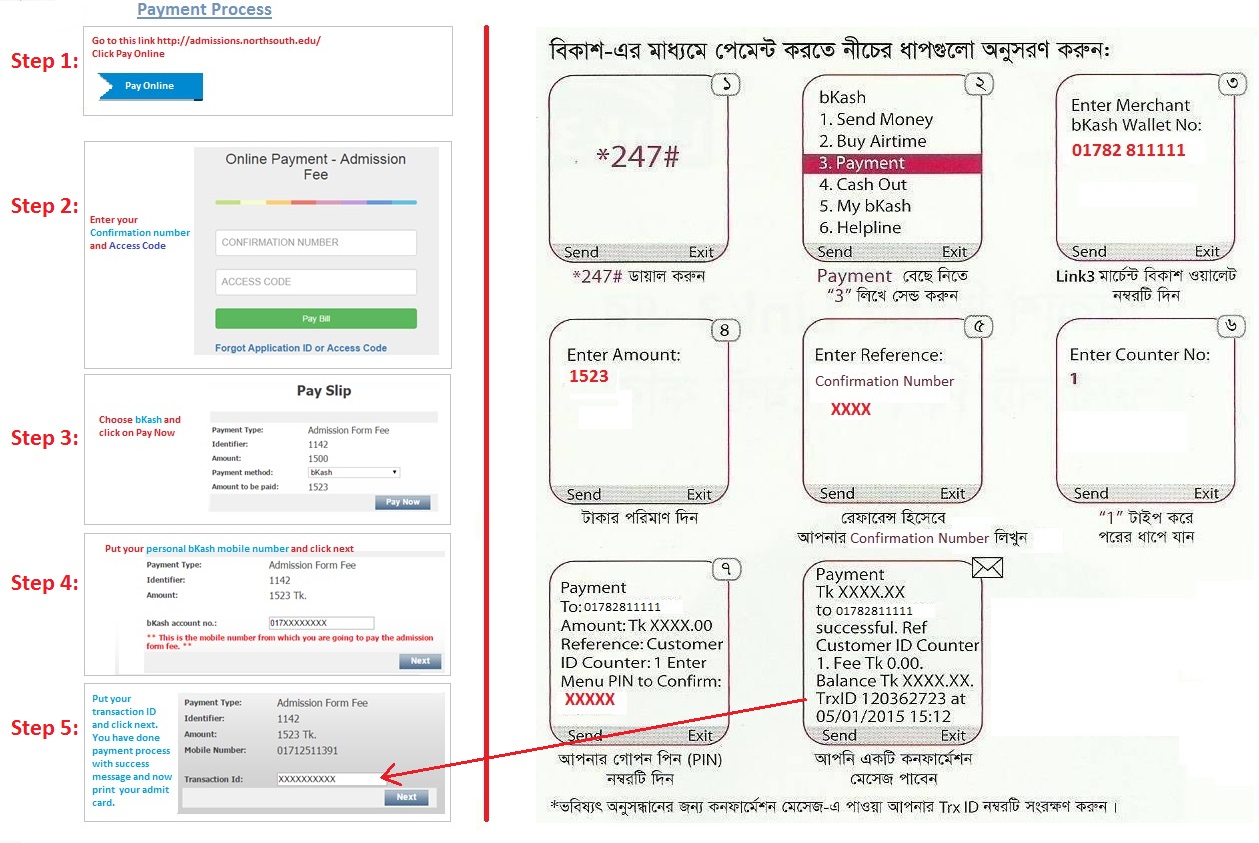
a) For details, please click on � Payment System (How to pay your admission fee)
Step-3: Online Admit Card Print
a) After completing your payment, Click on � Print Admit Card
b) Logon using your Application Number and Access Code
c) Print your Admit Card (note, a printer must be connected to a computer)
d) Please check your Admit Card, there must be a Test Pass Number & Room Number
Finally , bring your printed Admit Card with you on Admission Exam day.
Once you received Application Number and Access Code, Follow the payment process as mentioned below.
Next Steps:
Option-1: For mobile banking (bkash Mobile Banking)
For DBBL mobile banking, select and follow the DBBL process
Option-2: If you would like to pay through credit card (VISA, MasterCard) and DBBL Nexus
Step1 - Click on "Pay Online"
Step2 - Complete the payment.
Step3 - Click on "Print Admit Card"
Option-3: Payment through Bank
- FOR ONLINE BANKS
o UCBL (Only Basundhara branch)
o Southeast Bank (Any branch)
o One Bank (Any branch)
o Mutual Trust Bank (Any branch)
Step1 - Provide your NSU Admission Application Number to the bank teller.
Step2 - After verifying your Name and Phone number,
the bank teller will receive the payment and you will be given a bank deposit receipt.
Step3 - Click on "Print Admit Card"
If you pay Admission form fee to any other bank, your test pass will not be generated and you will not get Admit Card.
Note:
1. Your TEST PASS & ROOM NUMBER must be in your Admit card.
2. All confirmation notifications will be sent to your email address.
3. Print the card and show it to NSU Authority during Admission exam
4. For any queries, please call NSU Admission Office Hotline Phones: 880-2-55668200, UG Ext: 4001, 6299, 6300. Grad Ext: 1062, 6463.
